

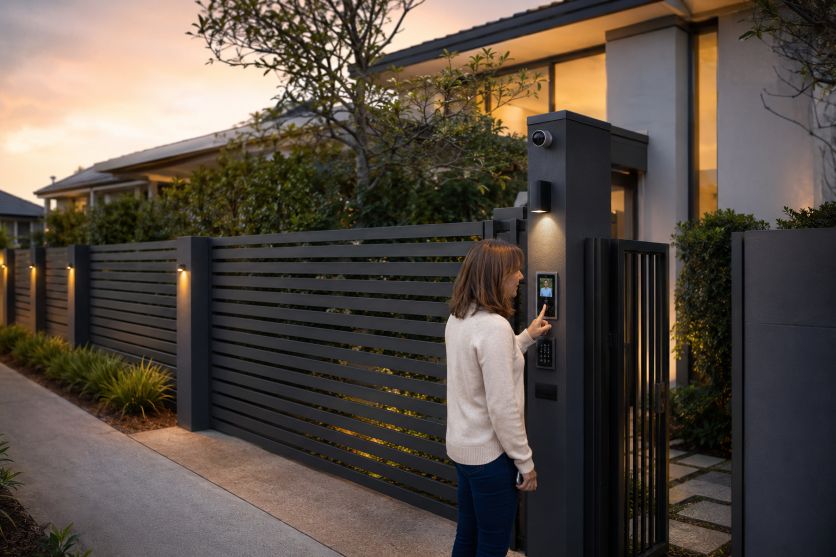
Residential perimeter security now falls into two broad categories: passive barriers that delay or discourage entry, and connected systems that identify visitors, control access, and record events. An automated system adds convenience and oversight, yet it also brings motors, sensors, credentials, network settings, and backup-power needs into the security plan.
For homeowners, the practical choice is rarely technology versus appearance. A stylish boundary can use timber, steel, aluminium, masonry, or planting while leaving space for an operator, intercom, cabling, sensors, and later upgrades. The fence, gate, access method, and landscape work best when planned as one system.
The Essential Comparison
Manual gates have few moving parts. A sound frame, suitable hinges or track, a latch, and a lock may provide reliable service with routine inspection. They require someone to walk to the entrance, which can be inconvenient during bad weather or at night.
Automated gates exchange that simplicity for controlled movement. Remotes open an entrance from a vehicle, while keypads, mobile credentials, or intercoms provide other access options. Video adds visual checking, although camera position, glare, and network delay affect results.
The strongest lesson is that automation does not make a weak gate secure. Posts, foundations, tracks, hinges, stops, locks, and fence connections still carry the physical load. SafeWork NSW reports that poor inspection and maintenance increase the risk of serious injury from large gates. Its workplace guidance concerns industrial installations, but the underlying principle is relevant at home: structural condition deserves attention.
Remotes, Intercoms, and Access Controls
A handheld remote is quick and familiar, but it behaves like a key. Lost units should be removed from the receiver. A keypad avoids handsets, though shared codes can spread beyond the household. Individual codes are easier to cancel and can separate family, tradespeople, and visitors.
Intercoms allow a conversation before entry, while video can help confirm identity and observe the gate area. Cameras should be aimed carefully. The Office of the Australian Information Commissioner notes that residential cameras may raise neighbour concerns and that state or territory law can apply, even where the federal Privacy Act does not cover an individual’s use.
App-based entry can send alerts and enable remote decisions, but internet connectivity creates another maintenance layer. Guidance from the Australian Signals Directorate’s Australian Cyber Security Centre recommends updating router firmware and checking connected devices. Its connected-device advice also supports unique passwords and manufacturer-provided security updates. Homeowners should therefore ask how long an entry product receives updates, whether accounts support strong authentication, and what continues working if the cloud service or home internet fails.
Safety, Visibility, and Power
Automatic movement introduces crushing and trapping risks that a design must address. UL Solutions explains that its North American gate-operator standard requires two independent entrapment-protection devices for each entrapment zone. Australian requirements and site conditions must be checked locally, but photoelectric beams, monitored edges, suitable clearances, guarded pinch points, and tested reversal functions remain sensible questions for any installer.
Visibility also involves trade-offs. Solid fencing limits views from the street and can improve privacy, yet it may create concealed areas near a pedestrian entrance. Open battens or metal pickets preserve sightlines but reveal more of the property. Lighting, landscaping, an intercom position, and a separate pedestrian gate can help balance recognition, privacy, and convenient access.
Power planning separates a convenient system from a resilient one. Owners should establish how the gate behaves during an outage, whether there is battery backup, how manual release works, and whether the release can be reached without exposing the property. Batteries have finite service lives, while motors, tracks, hinges, sensors, and drainage need checks. The Australian Competition and Consumer Commission’s Product Safety Australia has published a recall involving incorrectly connected wiring in certain sliding-gate openers, illustrating why electrical work, protective devices, and product history matter.
Planning a Boundary That Can Evolve
A practical design starts with risks and daily use. Homeowners can list who enters, where vehicles wait, whether children or animals use the frontage, and which access method remains available during failures. Ideas associated with technology-ready home construction, such as planning wiring and connected systems from the beginning, can also help avoid difficult retrofits. Homeowners can then compare manual simplicity with the convenience and administration of automation.
- Choose a structurally suitable gate and secure locking points before adding electronics.
- Provide safe pedestrian access rather than asking people to pass through a moving vehicle gate.
- Confirm sensor coverage, manual release, backup power, drainage, and service access.
- Limit camera views to necessary areas and review codes, remotes, users, and software regularly.
- Leave conduits, mounting space, and compatible controls for likely future upgrades.
The best residential perimeter is therefore neither purely manual nor automatically “smart.” It is proportionate to the site, understandable to the household, and safe in normal use and failure. Materials and detailing can create an attractive edge to the property, while sound construction, controlled visibility, automation, privacy choices, and upgrade planning preserve its purpose: dependable access without risk.